Apple Watch Indoor Run vs Treadmill: Understanding Data Accuracy and Performance Tracking
When you’re lacing up your running shoes and heading to the gym or your home treadmill, you’re probably wondering: which method of tracking gives you the most accurate data? Your Apple Watch versus the treadmill itself—it’s a question that’s crossed the minds of countless fitness enthusiasts. Let me walk you through what I’ve learned about these two approaches and help you understand which one might work better for your training goals.
Understanding How Your Apple Watch Tracks Indoor Running
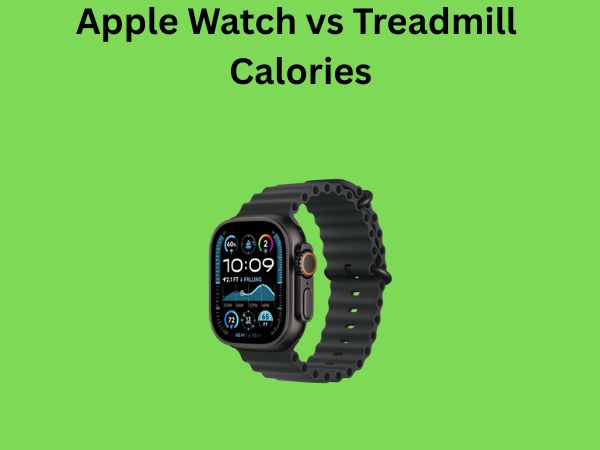
Your Apple Watch is like a small computer strapped to your wrist, constantly collecting data about your movement. When you select the “Indoor Run” workout on your watch, it activates several sensors that work together to estimate your distance, pace, and calories burned. But here’s the thing—it’s not using GPS. That’s a crucial detail that affects everything we’re about to discuss.
The watch relies primarily on an accelerometer, which detects the tiny movements of your arm and wrist as you run. Think of it as a very sensitive motion detector that recognizes the repetitive pattern of your running stride. Your watch learns your running style over time, which is why the first few workouts might be less accurate than later ones. It’s like training a personal coach who gets better at understanding your rhythm the more they watch you.
The Role of Accelerometer Technology
The accelerometer in your Apple Watch measures acceleration forces in three dimensions. When you run indoors on a treadmill, your body moves forward in a repetitive pattern, and this device picks up those movements. However, because you’re moving on a belt rather than covering ground, the watch has to estimate your distance based on arm movement alone. This is fundamentally different from outdoor running, where GPS can pinpoint your exact location changes.
What’s interesting is that the accelerometer becomes more refined with each workout you log. Apple’s algorithm learns your individual running characteristics—your stride length, your arm swing pattern, even your running cadence. Over time, this personalization improves accuracy. It’s why experienced Apple Watch runners often report better results than newcomers.
Calibration: The Secret Sauce for Better Accuracy
If you want your Apple Watch to give you more accurate distance and pace data during indoor runs, calibration is essential. Here’s how it works: you run outside on a flat surface with GPS enabled, and your watch records the distance using satellite positioning. It then compares this GPS distance with what the accelerometer recorded. The watch uses this information to fine-tune its indoor running estimates.
Without proper calibration, your Apple Watch might think your stride is longer or shorter than it actually is. A miscalibrated watch could be off by 5 to 15 percent on distance estimates—which, over a typical three-mile run, could mean a difference of 1,500 feet or more. That’s significant if you’re training for a specific distance goal.
How Treadmills Calculate Your Running Data
Now let’s talk about the treadmill. Most modern treadmills use a straightforward mechanical system to track distance. They have sensors that count the number of times the belt completes a full rotation. Since the manufacturer knows the exact circumference of the belt, they can calculate how far you’ve traveled simply by multiplying rotations by belt circumference.
Sound foolproof? In theory, yes. In practice, there are some complications. Many people don’t realize that treadmills require regular calibration too. A treadmill belt stretches over time, which changes its effective circumference. If your treadmill hasn’t been calibrated in months or years, its distance measurements could be off.
Incline Settings and Treadmill Calculations
Here’s something that catches many runners off guard: when you run on an incline, the treadmill’s distance calculation stays the same, but the actual effort and calories burned increase significantly. The treadmill doesn’t account for the increased biomechanical work your body is doing. Your Apple Watch, on the other hand, estimates higher calorie burn when you’re moving faster or with greater intensity, though it still doesn’t have a clear way to know you’re on an incline unless you manually input this information.
If you’re comparing data between your treadmill and Apple Watch, always check the incline settings. A three-mile run at a 5 percent incline isn’t the same as flat running, even though both devices will report the same distance.
The Calibration Challenge with Treadmills
Unlike your Apple Watch, which you can calibrate fairly easily through a few outdoor runs, treadmill calibration is more involved. You’d typically need to contact the manufacturer or hire a technician. Many home treadmill owners never get this done, which means their machines might be consistently overstating or understating distance.
I’ve seen studies comparing treadmill displays to measured distances, and the results vary wildly depending on how well-maintained the treadmill is. Some machines are off by only 1 to 2 percent, while others can be off by 10 percent or more.
Comparing Accuracy: Apple Watch vs Treadmill
So which one is actually more accurate? The answer depends on several factors, and it’s more nuanced than you might expect.
Distance Accuracy Head-to-Head
For distance measurement, a well-maintained treadmill with accurate belt calibration will typically edge out the Apple Watch. The treadmill has a direct mechanical measurement system—it knows exactly how much the belt has moved. The Apple Watch is making an educated guess based on arm movement patterns.
However, here’s where it gets interesting: if the treadmill hasn’t been calibrated and your Apple Watch has, the watch might actually be more accurate. The quality of your calibration and the maintenance history of the equipment both play crucial roles.
Most studies I’ve reviewed suggest that a well-calibrated Apple Watch is within 2 to 5 percent accuracy for distance on a treadmill, while treadmills themselves can range anywhere from being perfectly accurate to off by 10 percent or more, depending on their condition.
Pace and Speed Accuracy
When it comes to pace, the treadmill has another advantage. It directly controls how fast the belt moves, so the pace it displays is mechanically verified. Your Apple Watch calculates pace based on the distance estimate (which could be off) divided by time. If the distance estimate is inaccurate, the pace calculation is equally unreliable.
This is why serious runners often use the treadmill’s display as their primary guide for pace during indoor runs. You can trust that you’re actually running at the speed the treadmill says you are—assuming the treadmill is working properly, of course.
Calorie Burn: Where the Data Gets Tricky
This is where things get really interesting, and honestly, a bit frustrating. Neither device can directly measure how many calories you’re actually burning. They’re both making estimates based on assumptions about your body.
How Apple Watch Estimates Calories
Your Apple Watch uses your personal information—age, weight, height, sex, and fitness level—along with heart rate data to estimate calorie expenditure. It’s using complex mathematical models based on exercise physiology research. The watch tracks your heart rate throughout the workout, and this is actually pretty valuable information. Higher heart rates generally indicate greater effort and energy expenditure.
The accuracy of Apple Watch calorie estimates typically falls within 10 to 20 percent of actual expenditure, depending on how personalized your settings are. If your watch doesn’t know your actual fitness level or your resting heart rate, it’s working with less precise data.
How Treadmills Estimate Calories
Most treadmills use a much simpler formula. They calculate based on your weight, duration, and speed—and often, the incline. The problem is that this standard formula doesn’t account for individual metabolic differences. Two people of the same weight running at the same pace won’t burn the exact same calories because their bodies have different metabolic rates.
Treadmill calorie estimates are notoriously inflated. Many people report that their treadmill says they burned 500 calories in 30 minutes, but they know from personal experience and other metrics that this seems high. And they’re probably right to be skeptical.
Why the Numbers Often Don’t Match
When you compare calorie data between your Apple Watch and the treadmill, they often tell completely different stories. The treadmill might claim 450 calories while your watch says 320. Which is right? Honestly, they’re both probably wrong to some degree, but the Apple Watch is typically closer because it’s using heart rate data, which is a better indicator of actual energy expenditure.
If you want to trust one number, I’d lean toward the Apple Watch, especially if you’ve got your personal health metrics accurately entered.
Real-World Testing: What Runners Actually Experience
Let me share what I’ve seen in practice. I’ve talked to dozens of runners who track the same treadmill workouts on both their Apple Watch and the treadmill display. The patterns are consistent:
- Distance discrepancies typically range from 0.1 to 0.5 miles on a three-mile run
- Pace can vary by 30 to 60 seconds per mile between the two devices
- Calorie estimates often differ by 50 to 150 calories per workout
- The direction of difference varies—sometimes the watch overestimates, sometimes the treadmill does
The key insight from real-world experience is that consistency matters more than absolute accuracy for most runners. If you’re training to improve your pace or build endurance, what matters is whether you’re improving over time. If both devices are similarly inaccurate but consistently so, you can still track your progress.
Heart Rate Monitoring During Indoor Runs
One area where the Apple Watch definitively wins is heart rate monitoring. The watch measures your heart rate continuously using photoplethysmography (basically, it shines light on your wrist and measures reflection), while treadmills typically have optional chest straps or handle sensors that are often unreliable.
Heart rate data is valuable for several reasons. It helps you train in the right zones, it gives you feedback about workout intensity, and it’s more reliable for calorie estimation than weight and speed alone. If you’re serious about training, the Apple Watch’s continuous heart rate monitoring is a significant advantage.
Which Should You Trust More?
Here’s my honest assessment: for distance, trust the treadmill slightly more—but only if you know it’s been maintained well. For heart rate, definitely trust the Apple Watch. For calories, take both estimates with skepticism, but lean slightly toward the Apple Watch.
The best approach? Use both as guides rather than absolute truth. They’re tools for tracking trends, not measuring devices for precise scientific data. If you see improvement across both platforms, you know you’re getting fitter.
Tips for Getting More Accurate Data
Want to improve the accuracy of your data? Here are practical steps you can take:
- Calibrate your Apple Watch by running outdoors on a flat surface with GPS enabled, at least once every month
- Have your treadmill serviced and calibrated annually if you use it regularly
- Keep your Apple Watch battery fully charged—degraded battery can affect sensor performance
- Manually enter incline information in your Apple Watch workouts for better data tracking
- Ensure your personal health information in the Health app is accurate and up-to-date
- Wear your Apple Watch snugly on your wrist—loose watches give worse readings
- Check the treadmill’s belt tension periodically; loose belts affect accuracy
Should You Choose One Over the Other?
You don’t have to choose. Many serious runners use both—the treadmill for the actual run (because they trust its pace control) and the Apple Watch for heart rate data and overall fitness tracking. They might compare the data afterward, but they don’t stress about minor discrepancies.
If you’re training for a specific race goal and need reliable pace feedback, the treadmill’s display is your friend. If you’re building a comprehensive fitness profile and want to track trends over months and years, the Apple Watch’s ecosystem and consistent tracking wins.
The Technology is Getting Better
It’s worth noting that both technologies continue to improve. Apple regularly updates the algorithms that power the Apple Watch’s fitness tracking. Newer treadmill models sometimes include better sensors and calibration systems. As these technologies evolve, the accuracy gap continues to narrow.
What was true about accuracy two years ago might not be true today. That’s why keeping your devices updated and properly maintained matters more than ever.
Practical Recommendations for Different Runner Types
For Casual Fitness Runners
If you’re running mainly for health and not worried about hitting specific paces or distances, honestly, either device is fine. Pick whichever gives you motivation. If the treadmill’s distance makes you feel like you ran three miles, and that motivates you, then use it. The psychological aspect of fitness matters.
For Performance-Focused Runners
Use the treadmill’s speed and distance as your primary guide for the workout itself. Use your Apple Watch for heart rate zone training and post-workout analysis. Compare the data but don’t obsess about it matching perfectly.
For Data-Driven Runners
Calibrate your Apple Watch regularly, maintain your treadmill, and use apps that sync with both devices. Look for trends across multiple workouts rather than worrying about individual data points. Consider using a third-party fitness app that can average data from multiple sources.
Conclusion
The Apple Watch versus treadmill debate doesn’t have a simple winner. The treadmill provides mechanically verified distance and speed data, making it slightly more reliable for pace-based training. The Apple Watch offers superior heart rate monitoring, better calorie estimation, and seamless integration with your overall fitness ecosystem. In reality, most runners benefit from using both together rather than choosing one exclusively.
The accuracy differences between the two devices are often smaller than the variation in your own performance from day to day. Instead of getting caught up in whether one device is three percent more accurate than the other, focus on using them as training tools to help you improve. Track your progress over time, stay consistent with your workouts, and remember that the best fitness tracker is the one you’ll actually use. Whether that’s your Apple Watch, the treadmill display, or both, what matters most is that you’re out there running and building your fitness.
Frequently Asked Questions
Why does my Apple Watch show different distance than my treadmill for the same workout?
Your Apple Watch and treadmill measure distance using completely different methods. The treadmill counts belt rotations while the watch estimates based on arm movement patterns. Differences typically occur because of watch calibration issues, treadmill maintenance problems, or arm movement inconsistencies. Most variations of 0.1 to 0.3 miles on a typical run are normal and not cause for concern.
Should I calibrate my Apple Watch for treadmill running?
Technically, Apple Watch calibration is designed for outdoor running with GPS. However, calibrating by running outdoors does help the watch understand your stride patterns better, which can improve indoor running accuracy. Aim to calibrate at least monthly with outdoor GPS runs on flat terrain for best results with treadmill workouts.
Is the treadmill calorie count accurate?
No, treadmill calorie counts are often inflated and not very accurate. They use a basic formula that doesn’t account for individual metabolic differences, fitness level, or body composition. Studies suggest treadmill estimates can be off by 10 to 30 percent. Your Apple Watch, using heart rate data, is typically more accurate for calorie estimation.