Apple Watch vs Treadmill Calories: Which One Is Right for You?
Have you ever finished a workout and wondered why your Apple Watch and your treadmill are telling you completely different calorie numbers? You’re not alone. This confusion happens to thousands of fitness enthusiasts every single day, and it can be incredibly frustrating when you’re trying to track your progress accurately.
The truth is, understanding the differences between how your Apple Watch calculates calories burned versus what your treadmill displays is crucial for anyone serious about their fitness journey. Whether you’re training for a marathon, trying to lose weight, or simply maintaining a healthy lifestyle, knowing which device to trust can make all the difference in achieving your goals.
Understanding the Outline of This Guide
Before we dive deep into the comparison, let me walk you through what we’ll be covering in this comprehensive article. We’ll explore how each device measures calories, examine the accuracy of both tools, discuss the pros and cons of each, and ultimately help you decide which one deserves your trust. Think of this guide as your personal fitness technology advisor.
How Does Your Apple Watch Calculate Calories?
Your Apple Watch is like a tiny fitness scientist sitting on your wrist. It doesn’t just guess how many calories you’re burning. Instead, it uses a sophisticated combination of data points to make educated calculations about your energy expenditure.
The Technology Behind Apple Watch Calorie Tracking
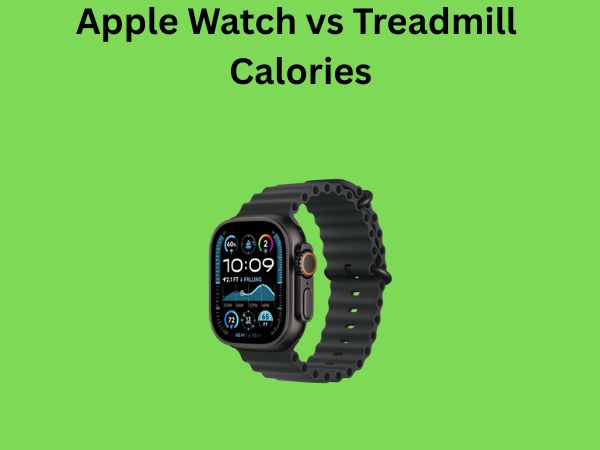
Apple Watch relies on several sensors and algorithms to determine calorie burn. The device measures your heart rate in real-time using its advanced optical heart rate sensor. This heart rate data is absolutely fundamental to the calculation because your heart rate is directly correlated with how much energy your body is expending.
Beyond heart rate, your Apple Watch also factors in personal information you’ve provided during setup. Your age, weight, height, and biological sex all play significant roles in these calculations. Additionally, the device tracks your movement and motion data using its accelerometer and gyroscope, which helps it understand what type of activity you’re performing.
The Role of Heart Rate in Apple Watch Calculations
Your heart rate is essentially the engine indicator of your body’s effort level. When you exercise, your heart pumps faster to deliver oxygen-rich blood to your working muscles. Apple Watch uses this heart rate data to estimate how hard your cardiovascular system is working, which is a strong proxy for calorie expenditure. A higher heart rate generally means more calories are being burned, though this relationship isn’t perfectly linear for everyone.
Personal Data and Individual Factors
Here’s something important to understand: Apple Watch adjusts its calculations based on your personal profile. Someone who weighs 250 pounds will burn more calories doing the same workout as someone who weighs 150 pounds. Similarly, a younger person’s metabolism might respond differently than an older person’s metabolism. Your Apple Watch takes all these factors into account.
Active Calories vs Total Energy Expenditure
You might notice your Apple Watch shows you two different calorie metrics: move calories and total calories. Move calories represent the energy you burned above your resting metabolic rate during exercise. Total calories include your basal metabolic rate, which is the energy your body uses just to maintain basic functions like breathing, circulation, and maintaining body temperature.
This distinction is crucial because it explains why your Apple Watch might show a higher number than your treadmill. Many treadmills only display active calories burned during the specific workout, while your Apple Watch might be showing you a combination of active and resting calories.
Understanding Treadmill Calorie Calculations
Now let’s talk about your treadmill. When you step onto that machine and see calorie numbers flashing on the display, you might think you’re getting an accurate measurement. The reality is more nuanced than that.
How Treadmills Estimate Your Calorie Burn
Most treadmills use a relatively simple formula to estimate calories burned. They typically ask you to input your weight because heavier individuals burn more calories performing the same activity as lighter individuals. Some treadmills might also consider your speed and incline settings, and possibly your age if you enter that information.
However, here’s where treadmills fall short: they don’t have access to real-time heart rate data, which is a significant limitation. Without knowing how hard your individual body is actually working, treadmills must rely on generic formulas. These formulas are based on average populations and don’t account for individual variations in fitness level, metabolism, or heart rate response to exercise.
The Limitations of Standard Treadmill Formulas
Think of treadmill calculations as one-size-fits-all clothing. It might work for many people, but it’s rarely a perfect fit for anyone specifically. Two people running on a treadmill at the same speed and incline with the same body weight could have vastly different heart rates and, therefore, different actual calorie expenditures. But your treadmill can’t distinguish between them.
Can You Connect Your Apple Watch to Your Treadmill?
Some newer treadmill models can actually sync with your Apple Watch via Bluetooth, allowing the treadmill to access your real-time heart rate data. When this connection exists, the treadmill’s calorie calculations become significantly more accurate because they’re no longer relying on generic formulas. However, many treadmills, particularly older models, don’t have this capability.
Why Treadmills Often Overestimate Calorie Burn
One of the most common complaints from fitness enthusiasts is that treadmills seem to overestimate calorie burn compared to other devices. Research and user experiences suggest this is genuinely common. Several factors contribute to this phenomenon.
First, many treadmills use outdated algorithms that were created decades ago. These formulas don’t account for modern fitness levels or body composition variations. Second, treadmills don’t account for biomechanical efficiency. If you’re a very efficient runner who uses minimal energy to maintain a given pace, the treadmill still calculates calories as if you’re an average runner.
Additionally, treadmills can’t measure the difference between someone who’s grasping the handrails and reducing their actual effort versus someone who’s running without support. If you’re holding onto the treadmill, you’re burning fewer calories than the machine calculates, but it has no way of knowing this.
The Great Calorie Discrepancy: Why Numbers Don’t Match
So here you are, finishing a 30-minute treadmill workout. Your treadmill says you burned 400 calories. Your Apple Watch says you burned 280 calories. Who’s telling the truth?
Fundamental Differences in Measurement Methodology
The primary reason for these discrepancies lies in the fundamental differences between how these devices measure activity. Your Apple Watch is measuring your individual physiological response using heart rate data. Your treadmill is making assumptions based on speed, incline, and your weight plugged into a generic formula.
Imagine two people running on a treadmill side by side at 6 miles per hour with a 2% incline. Person A is a competitive runner with excellent cardiovascular fitness, maintaining a heart rate of 130 beats per minute. Person B is new to running and maintaining a heart rate of 160 beats per minute at the same pace. Person B is actually working much harder and burning significantly more calories, but a standard treadmill would calculate the same calorie burn for both.
The Role of Fitness Level and Individual Variation
Your fitness level dramatically impacts how many calories you burn at any given intensity. Highly trained athletes have more efficient cardiovascular systems, meaning their hearts don’t have to work as hard to deliver oxygen to their muscles. This increased efficiency means they burn fewer calories at the same pace compared to less trained individuals.
This is actually a positive thing for fit individuals from a training perspective, but it means treadmills that don’t factor in fitness level will overestimate their calorie burn. Your Apple Watch, by measuring your actual heart rate response, naturally accounts for your fitness level.
Body Composition Considerations
Here’s something many people don’t realize: calorie burn isn’t just about weight. Body composition matters significantly. Two people weighing the same amount can have completely different amounts of muscle and fat. Muscle tissue burns more calories both at rest and during activity than fat tissue does.
If you’re relatively muscular, you might actually burn more calories than treadmill estimates suggest, even though you weigh the same as someone less muscular. Your Apple Watch, by measuring your heart rate response, indirectly accounts for body composition because cardiovascular fitness correlates with muscle mass.
Accuracy Comparison: Apple Watch vs Treadmill
Now let’s address the question everyone really wants answered: which device is actually more accurate?
What Research Tells Us About Apple Watch Accuracy
Multiple peer-reviewed studies have examined Apple Watch accuracy for calorie estimation. The general consensus from research is that Apple Watch provides reasonably accurate calorie burn estimates for steady-state activities like running and walking, typically within 5-15% of actual values measured in laboratory settings.
However, Apple Watch tends to be less accurate for certain activities, particularly those that don’t elevate heart rate proportionally to actual effort. For example, weight training or high-intensity interval training with short rest periods might not show the true calorie burn because heart rate recovery happens quickly between intense efforts.
The Reality of Treadmill Accuracy
Studies examining treadmill calorie calculations reveal a much wider margin of error. Depending on the treadmill model and the individual using it, treadmill calorie estimates can be off by 10-40% or more. Some research has shown that treadmills overestimate by an average of about 20%, though this varies considerably between individuals and machines.
Direct Comparison in Real-World Scenarios
If you were to run the exact same workout on a treadmill while wearing your Apple Watch, you’d almost certainly get different numbers. Here’s what you’d typically see:
- Treadmill reading: Higher number (often 20-30% higher)
- Apple Watch reading: Lower number (more conservative estimate)
- Actual calorie burn: Likely somewhere between the two, though closer to Apple Watch
The Apple Watch tends to provide more realistic estimates because it’s using your individual heart rate data rather than population averages. However, neither device is measuring actual calorie burn with the kind of precision you might imagine. Both are estimates, just estimated differently.
Advantages of Using Apple Watch for Calorie Tracking
If you’re considering which device to rely on for tracking calories, let’s examine the specific advantages Apple Watch brings to the table.
Personalized Data Collection
Your Apple Watch collects data specifically about you and your body’s response to exercise. It’s not using generic formulas; it’s using your actual heart rate, your personal metrics, and your real-time physiological data. This personalization makes the calculations significantly more accurate than device-agnostic formulas.
Continuous Monitoring and Adaptation
Throughout your workout, your Apple Watch is continuously updating its calorie calculation based on your changing heart rate. If your intensity fluctuates, Apple Watch adjusts accordingly. Treadmills, meanwhile, assume a static effort level based on your speed and incline settings.
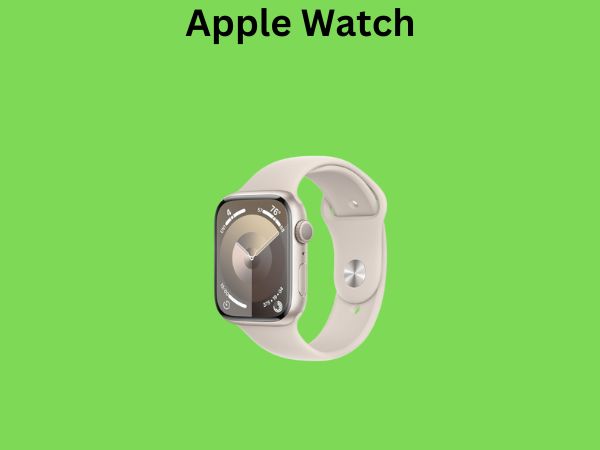
Multiactivity Tracking Capabilities
Apple Watch doesn’t just track treadmill running. It tracks cycling, swimming, hiking, strength training, yoga, pilates, and dozens of other activities. For activities beyond treadmill running, Apple Watch is often your only viable option for accurate calorie tracking.
Integration with Your Overall Activity
Apple Watch knows about your daily activity beyond just your structured workouts. It tracks your general movement, walking, and daily exertion. This context helps create a more complete picture of your total energy expenditure throughout the day.
Advantages of Using Your Treadmill for Calorie Tracking
Before you completely dismiss your treadmill’s calorie counter, let’s consider some advantages it does offer.
Immediacy and Motivation
Your treadmill displays calorie information right there on the machine in real-time. For many people, seeing those calories accumulate on the treadmill display provides immediate motivation to keep pushing. The psychological benefit of real-time feedback shouldn’t be dismissed.
Consistency for Comparison Purposes
While treadmill calculations might not be accurate in absolute terms, they’re at least consistent. If your treadmill says you burned 400 calories last week and 420 calories this week at the same speed and incline, you know you’re improving slightly. Using the same device repeatedly provides internal consistency even if the absolute numbers aren’t perfectly accurate.
No Battery Dependency
Your treadmill doesn’t need to be charged. It will reliably display calorie information whether your Apple Watch is charged or not. For people who want independent tracking without relying on wearable devices, treadmill displays offer that autonomy.
Which Device Should You Actually Trust?
After everything we’ve discussed, here’s my honest recommendation: trust your Apple Watch more than your treadmill for overall accuracy, but don’t fixate on the exact numbers from either device.
The Case for Apple Watch as Your Primary Source
Apple Watch provides more accurate estimates because it uses your individual physiological data. Its calculations account for your fitness level, body composition, and actual effort level through heart rate monitoring. When comparing your workouts over time or between different activities, Apple Watch gives you more reliable data.
Using Treadmill Data as Secondary Information
Your treadmill data isn’t worthless; it’s just less accurate. Use it as secondary information to understand relative intensity rather than absolute calorie expenditure. If your treadmill says a 5-mile-per-hour jog burns 280 calories and a 6-mile-per-hour jog burns 320 calories, that relative relationship is probably reasonably accurate.
The Bigger Picture: Why Exact Numbers Matter Less Than You Think
Here’s something crucial to understand: whether you burned 300 calories or 400 calories, the health and fitness benefits of your workout are largely the same. What matters most is that you’re exercising consistently, getting your heart rate elevated, and challenging your body progressively over time.
Don’t let discrepancies between devices derail your fitness journey. Use the tools you have, track your trends, and focus on consistency and progressive improvement. Whether you trust the treadmill or Apple Watch, what matters is that you’re moving your body.
Best Practices for Accurate Calorie Tracking
If you want to get the most accurate data possible from both your Apple Watch and treadmill, follow these practices.
Ensure Your Apple Watch Data Is Complete
Make sure you’ve entered accurate personal information into your Apple Watch settings. Your age, weight, height, and biological sex all influence calculations. Update this information if your body composition changes significantly.
Check Your Heart Rate Monitor Connection
Apple Watch works best when it’s worn snugly on your wrist. A loose fit can lead to inaccurate heart rate readings. If you’re getting wildly inconsistent numbers, check that your Apple Watch is positioned properly.
Improve Treadmill Accuracy
On your treadmill, always input your weight accurately. If your treadmill has options for age and fitness level, fill those in too. Avoid holding onto handrails if possible, as this reduces your actual effort and skews the calorie calculation.
Connect Your Apple Watch to Your Treadmill
If your treadmill supports Bluetooth connectivity to wearable devices, connect your Apple Watch. This